Golf
Two oscillators that morph through 130 wavetables, up to seven unison voices each, a ladder filter with drive, and a step sequencer that moves the wave on every step.
Version 1.0 · free · open source
Golf is Dutch for wave. It turns the FM-1 into a wavetable synthesizer with eight notes, written from scratch for the FM-1's small chip: the voices run on both of its processor cores.
It is not a port of the Golf plug-in, but it uses its wavetables, and 96 of its presets were converted and then tuned by ear of the machine: each one was matched against a recording of the plug-in until spectrum and envelope lined up.
Listen
Rendered with the same sound code that runs on the FM-1.
What it does
Two morphing oscillators
130 wavetables built in, room for 32 of your own. Up to seven unison voices with detune and width, and a warp per oscillator: sync, bend, asym, PWM, fold or FM.
Filter
Ladder 24 dB, 12 dB, band, high and acid, with resonance, drive, its own envelope and key tracking.
Movement
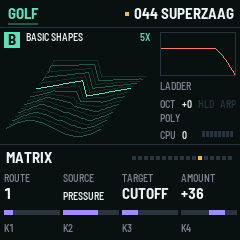
Two envelopes, two LFOs and six routes. Sources include velocity, key pressure, the mod wheel and chance.
Step sequencer
32 steps with up to four notes each, velocity, gate, ties and swing. Every step has its own wavetable position and filter offset. Keys transpose it while it runs.
Effects
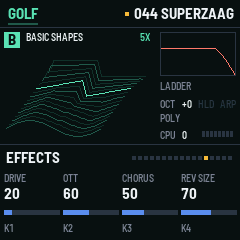
Drive, three-band OTT compression, chorus, delay and reverb. An arpeggiator that also plays the sequencer's chords.
168 presets
Sorted by kind: bass, lead, pad, keys, pluck, arp and motion. Sixteen slots for your own.
On the screen
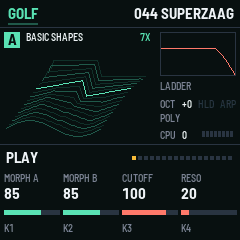
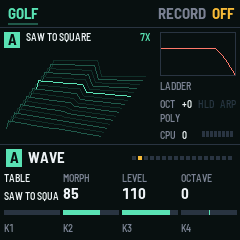
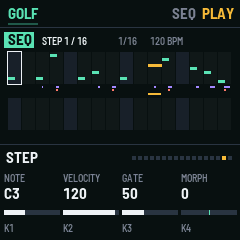
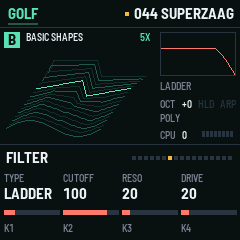
Controls
| Keys | Play, with velocity and pressure. OCT- and OCT+ shift the octave. |
| PRESET | Choose a preset. SAVE stores the sound as your own. |
| K1 to K4 | The four controls of the page. ALGORITHM steps through the pages. |
| HOME | Play page: morph A, morph B, cutoff, resonance. Again: the next kind of preset. |
| EDIT, GLO | The oscillator (wave, shape, tune), and mix and voice. |
| ENV, LFO, FX | Filter and envelopes, LFOs and matrix, effects and space. |
| SEQ | The sequencer: the step page and the pattern page. SELECT picks the step. |
| PLAY | Hold notes. On the sequencer pages it starts the sequencer; while it runs it stops it. |
| REC | Step record: each key or chord fills a step, SEL writes a rest. Hold REC for a second to clear the pattern. |
| ARP | The arpeggiator on or off, and its page. |
Getting started
Install it. Connect the FM-1 with USB, open the install page in Chrome or Edge and press Install. Your browser asks once to allow MIDI.
Play. Turn PRESET, hold a chord, turn K1 to K4.
Go further. The source explains every page, how to send your own wavetables, and how to build it yourself.
Prefer a file? Download golf-1.0.fwsc. Going back: the install page has a button for the stock firmware.